Happy Wheels characters and vehicles: a roster reference
Identify the familiar desktop characters, distinguish community names from official claims, and choose what to practise first.
Applies to: Community-documented desktop roster; not a mobile unlock guide or verified Steam tier list
The short answer
The established community reference lists 11 desktop playable character selections, from Wheelchair Guy to Helicopter Man. Treat that as a community roster, not an official guarantee of the current count on every platform. Use the vehicle table below to identify a familiar racer.
On this page
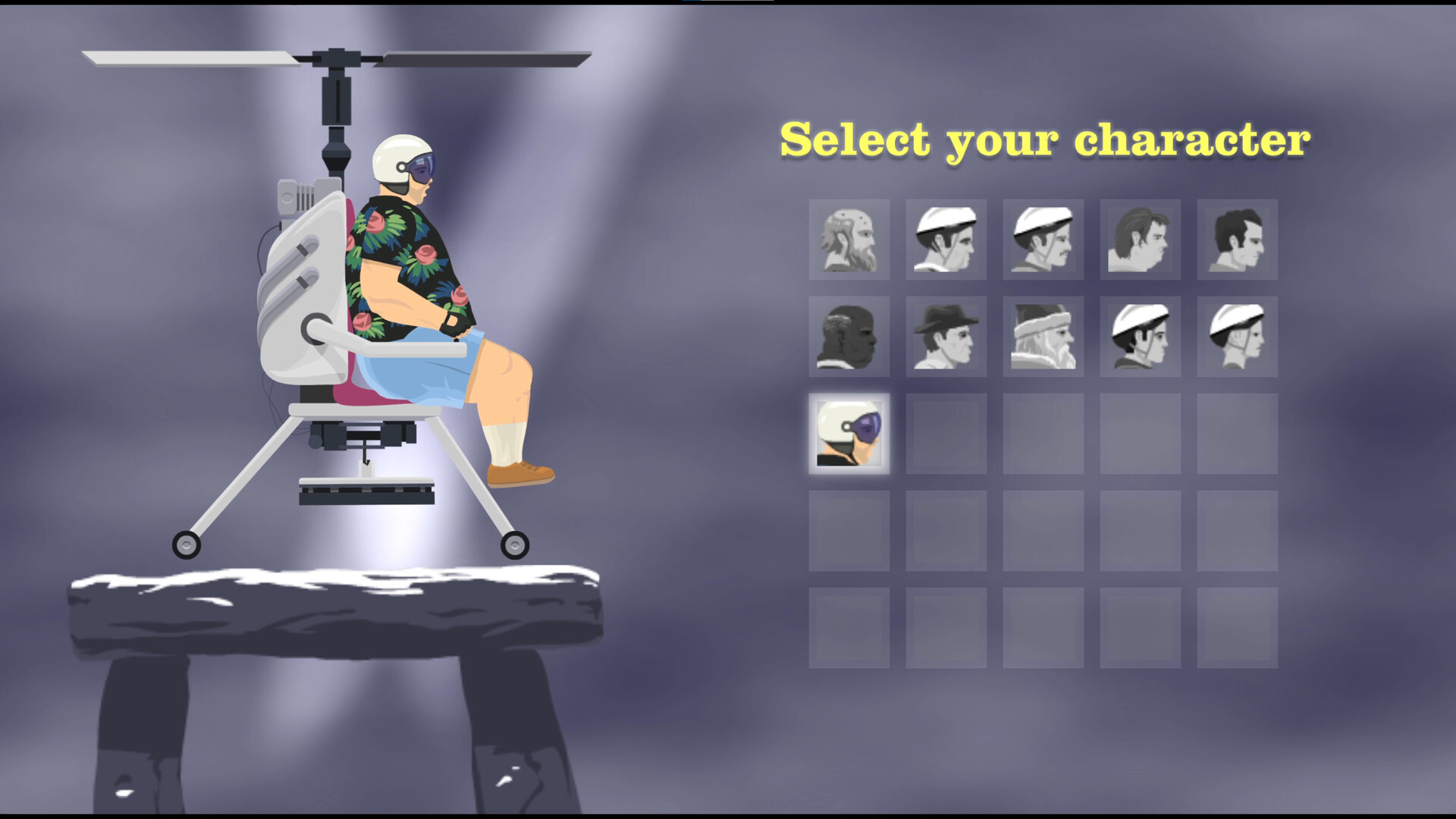
Names and vehicles in the community reference
The table below is a compact identification aid drawn from the Happy Wheels community wiki. The official Steam store describes multiple playable characters but does not publish a named roster. That distinction matters: these are established community labels, not a newly verified official Steam character list.
| Character name | Vehicle to look for |
|---|---|
| Wheelchair Guy | Jet-equipped wheelchair |
| Segway Guy | Self-balancing transporter |
| Irresponsible Dad | Bicycle with a child passenger |
| Effective Shopper | Motorized shopping cart |
| Moped Couple | Moped |
| Lawnmower Man | Ride-on mower |
| Explorer Guy | Mine cart |
| Santa Claus | Sleigh |
| Pogostick Man | Pogo stick |
| Irresponsible Mom | Bicycle with a trailer bike |
| Helicopter Man | Autogyro |
Use the vehicle description to match a character you remember seeing. The number of riders or passengers is not the same as the number of character selections; counting every person in an image can produce a misleading roster total.
How to compare characters without a made-up tier list
For a useful comparison, keep the task constant. Practising a character on one course and another on a completely different course will tell you little about which one fits the obstacle you are trying to clear.
- Choose a short course that you can repeat, using the character choices actually available there.
- Identify basic movement and balance inputs using the default-key reference.
- Test the main action separately. Note the result instead of assuming Space always means jump.
- Write down what caused the failure: an approach, an action, or a landing. Change one part of the attempt at a time.
This is a suggested practice method, not a performance ranking. We have not measured speed, acceleration, jump height or survivability across the roster, so this page assigns no “best” character or numerical stats.
Why a video or another version may use a different name
A nickname in a video is not enough to identify a separate playable character. Match the vehicle and the version first. If the name you remember is missing here, a picture of the vehicle is more useful for identification than assuming it must be an unlockable racer.
Likewise, do not apply a desktop roster count to a standalone mobile app. This table is limited to the desktop community reference. It does not establish mobile availability, a mobile chapter order, or the exact content of a future update.
Unlocks, abilities and claims this page does not make
We have not verified a current, platform-by-platform unlock sequence or a full character ability matrix. Missing choices in one level do not establish that a paid character pack exists. Before following an unlock tutorial, confirm which edition it describes and whether its screenshots match your game.
For a mechanic question, note the character, platform and action that fails, then consult controls and ejection. For a question about finding a course that you saw in a video, use the level-record checklist.
Sources and review scope
- Happy Wheels Wiki on Fandom — Characters — secondary source for the desktop names and vehicle pairings.
- Official Steam store — confirms multiple playable characters, not the named roster above.
- Official browser controls — basis of the linked keyboard reference.

Continue in Happy Wheels

Happy Wheels: Steam vs browser — which version fits you?
Compare the official ways to play, Steam pricing and features, platform requirements, and what to check before buying.
Happy Wheels controls: movement, actions and ejection
A readable keyboard reference, the difference between action and jump, and what changes after ejection or between versions.

Happy Wheels not loading or lagging? Start with the symptom
Separate a blank game, an empty level list, low frame rate, and Steam startup trouble before choosing a troubleshooting step.

Happy Wheels custom levels: finding courses and offline play
Understand the level browser, keep track of a course, and know what Steam confirms about downloading levels for offline use.

Happy Wheels accounts: login recovery and Steam linking
Find official registration and recovery routes, understand activation emails, and prepare an existing account for Steam linking.